One command.
A complete workflow.
The Command Engine knows what each command means, what inputs it needs, how to execute it and how to validate the result, so every run is structured, repeatable and ready to use.
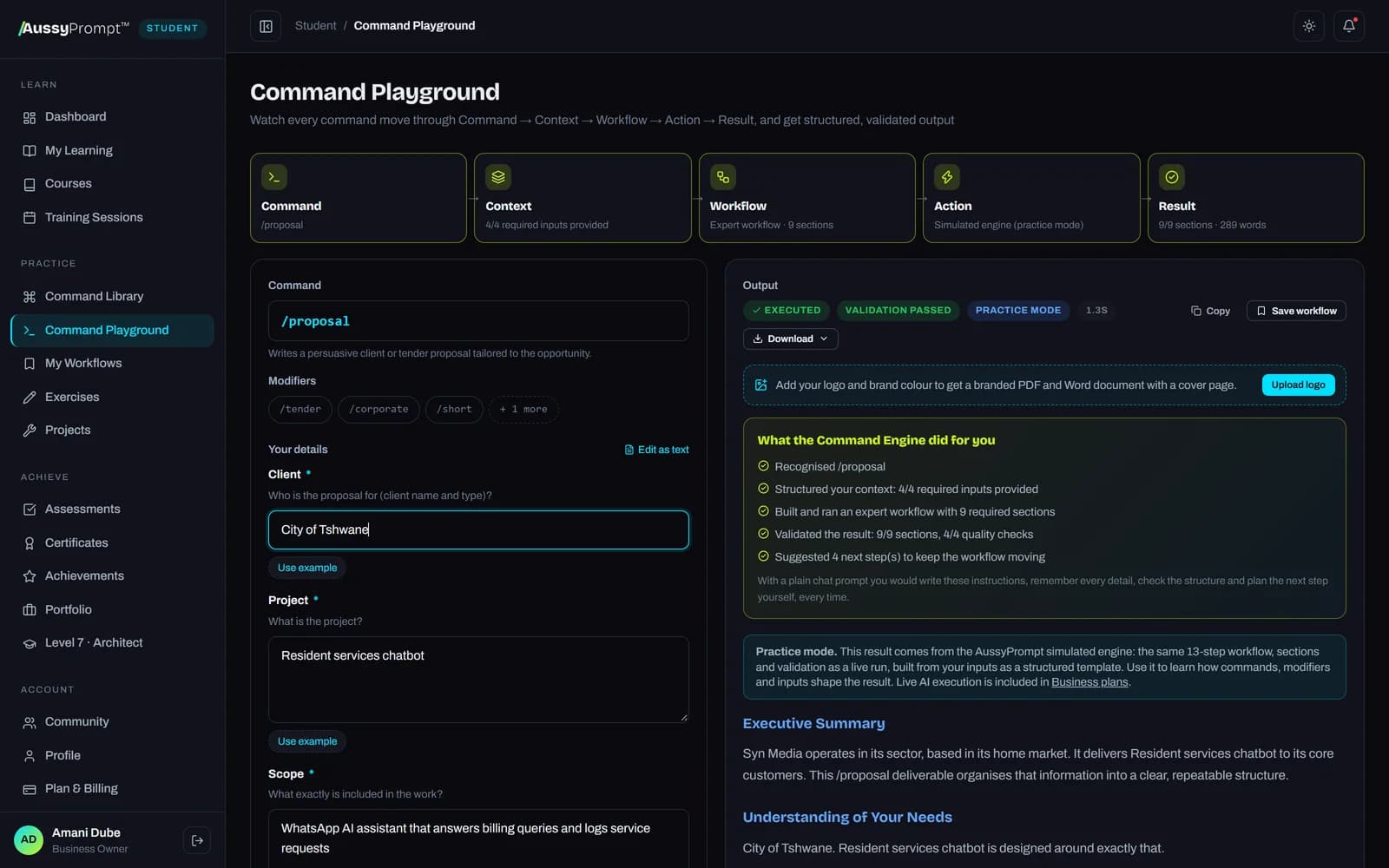
Five stages, every single time
Traditional prompting is a one-shot instruction. Commands move through the same five stages, and you can watch each one in the Playground.
- completeCommandUnderstands what you asked for
- completeContextGathers the inputs it needs
- completeWorkflowBuilds an expert workflow
- completeActionExecutes with AI
- completeResultValidates and delivers
Anatomy of a command
A command packages expert know-how into a definition the engine can run, test and improve.
- Command: the workflow to run, like
/companyprofile - Modifiers: switches such as
/tenderor/shortthat adapt it - Required inputs: what it needs; missing details become structured questions
- Output structure: the sections a professional deliverable must contain
- Validation: checks for sections, placeholders and completeness
- Next actions: the commands that logically follow
Live command demo
Commands, modifiers and the stages they trigger.
The 13-step engine
- 1. Receive Command
- 2. Identify Command
- 3. Load Definition
- 4. Load Modifiers
- 5. Determine Inputs
- 6. Check Context
- 7. Ask Missing Questions
- 8. Build Prompt
- 9. Execute Workflow
- 10. Validate
- 11. Format Output
- 12. Present Result
- 13. Suggest Next Actions
Stack, chain and orchestrate
Simple commands combine into complete workflows that take an idea all the way to a finished deliverable.
Command stacking
One line, one richer deliverable: /productrender /explodedview /technical
Command chaining
Each output feeds the next: /research → /strategy → /proposal
Orchestration
Documented workflows with human checkpoints that your whole team can reuse.
Prompting vs commanding
AussyPrompt™ runs on leading AI models. The difference is the method: structured, repeatable workflows instead of one-off prompts.
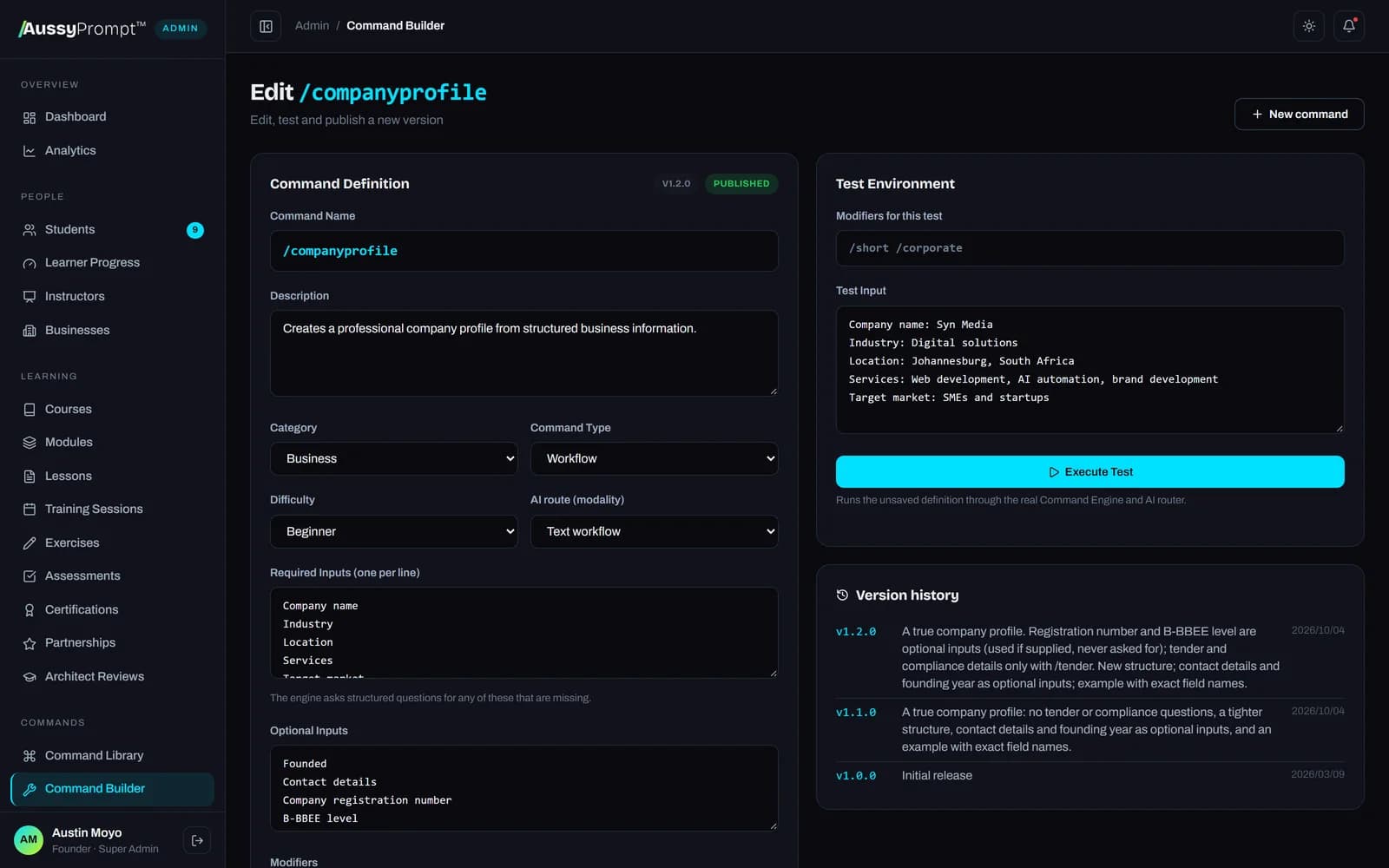
Build commands without code
The Command Builder lets the academy define commands, inputs, hidden AI instructions, output structure, modifiers and validation, test them live, version them and publish.
Test before publishing
Run a draft against real input before anyone sees it.
Version history
Every change is versioned so improvements are safe.
Multi-model
Runs on leading AI providers with automatic routing and failover.
Live streaming
Watch output arrive in real time, then get the validated result.
Engine trace
See all 13 steps for every run: what was loaded, asked, built and checked.
Don't just prompt. Command AI.
Start free with Level 1 and the Command Playground. Upgrade when you're ready for every course, certification exam and portfolio project.