From command to a working system
AussyPrompt ONE turns your Command Playground results into automations, apps, dashboards and internal systems. It designs the blueprint, then builds the pack for the tools your business already uses.
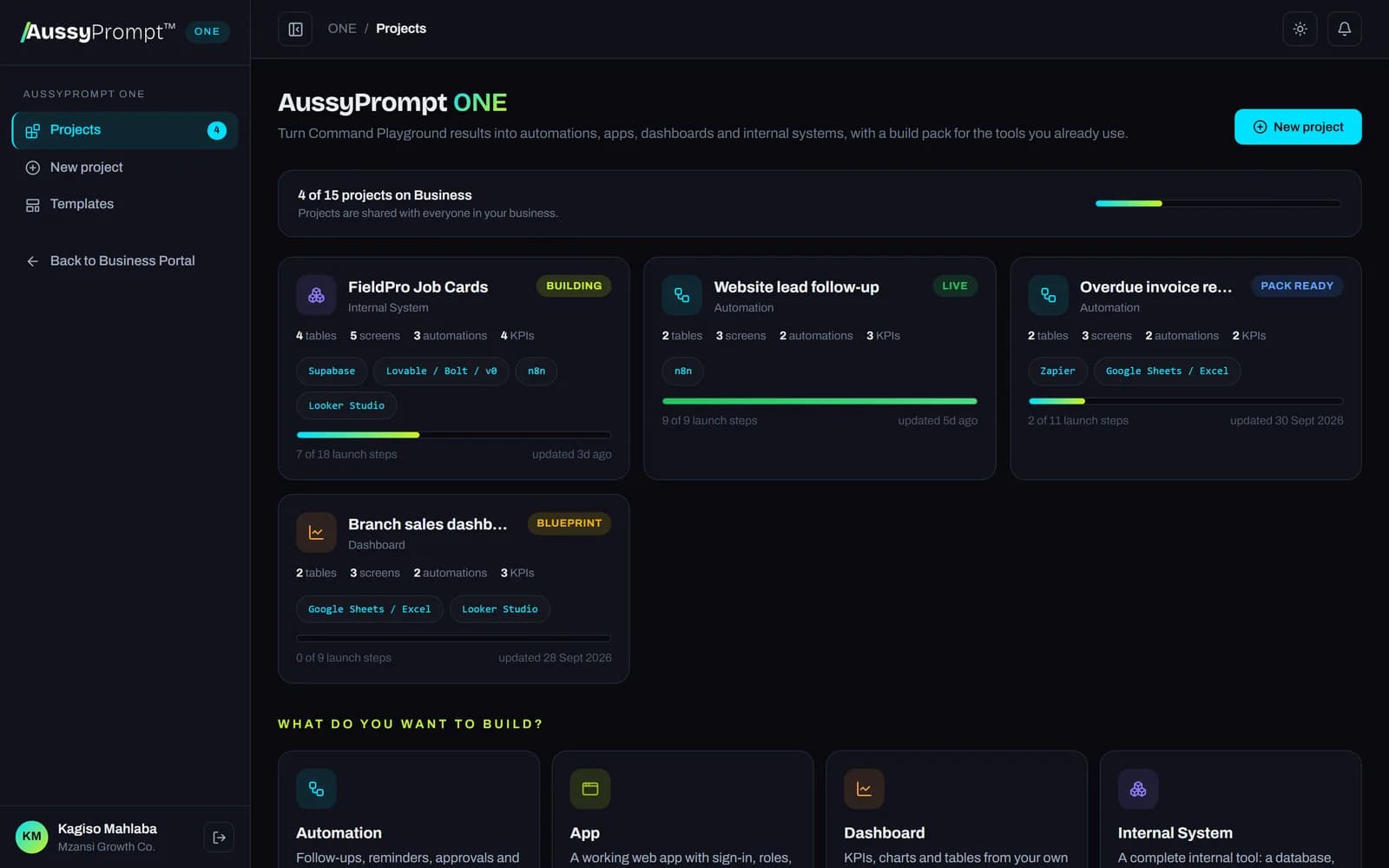
Four kinds of system, one workspace
Choose what your business needs. ONE designs it around your own process, roles and data.
Automations
Follow-ups, reminders, approvals and hand-overs that run on a form, a new record, an email or a schedule.
Apps
Web apps for clients or staff with sign-in, roles, forms and records, on a real database.
Dashboards
KPIs, charts and tables from your own data, with a clear definition for every number.
Internal systems
Records, staff screens, permissions, automations and a management dashboard working together.
Four steps from brief to live
The Command Engine writes the plan. ONE turns it into something your team can use on Monday.
1. Brief
Start from a Playground result such as /prd or /automation, a template, or your own words.
2. Blueprint
ONE designs the roles, data, screens, automations and KPIs, and lists its assumptions and questions.
3. Build pack
Ready-to-use files for each tool you choose, with the order to build them in.
4. Launch
A shared checklist and test plan take your team from first import to go-live.
A blueprint you can read and change
Before anything is built, ONE shows you exactly what it designed: who uses the system, what they may do, every table and field, and every screen.
- Roles with clear permissions, named the way your business talks
- Tables, fields, choices and links between records
- Assumptions to check and open questions, never invented facts
- Tell ONE what to change in your own words; every version is kept
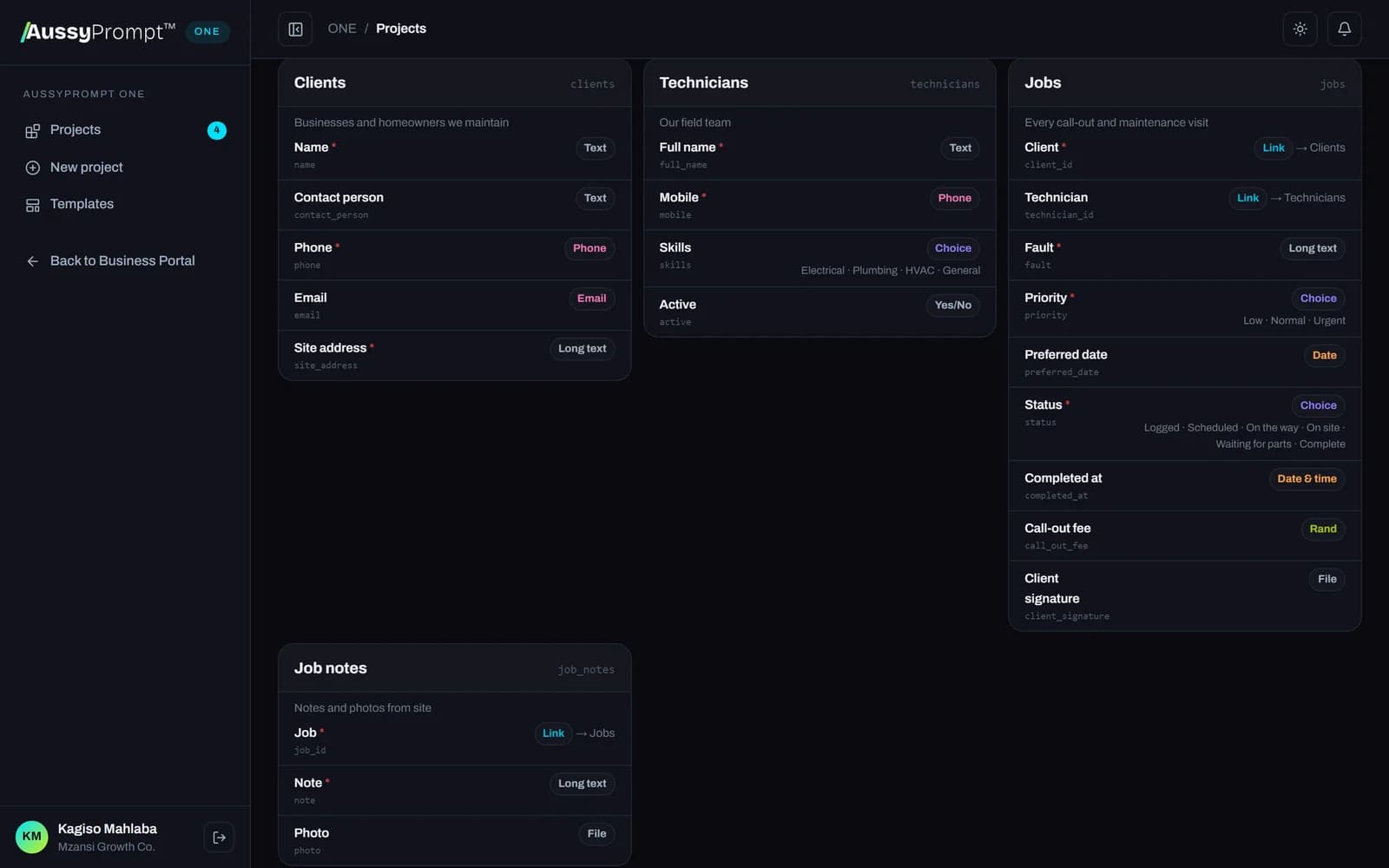
Automations, step by step
Every automation is laid out as a trigger and the steps that follow: messages, records, checks and waits, with the result it should deliver.
- Triggers: forms, new or changed records, emails and schedules
- Email, WhatsApp, SMS and team notifications
- Checks and waits as their own steps, so nothing runs by surprise
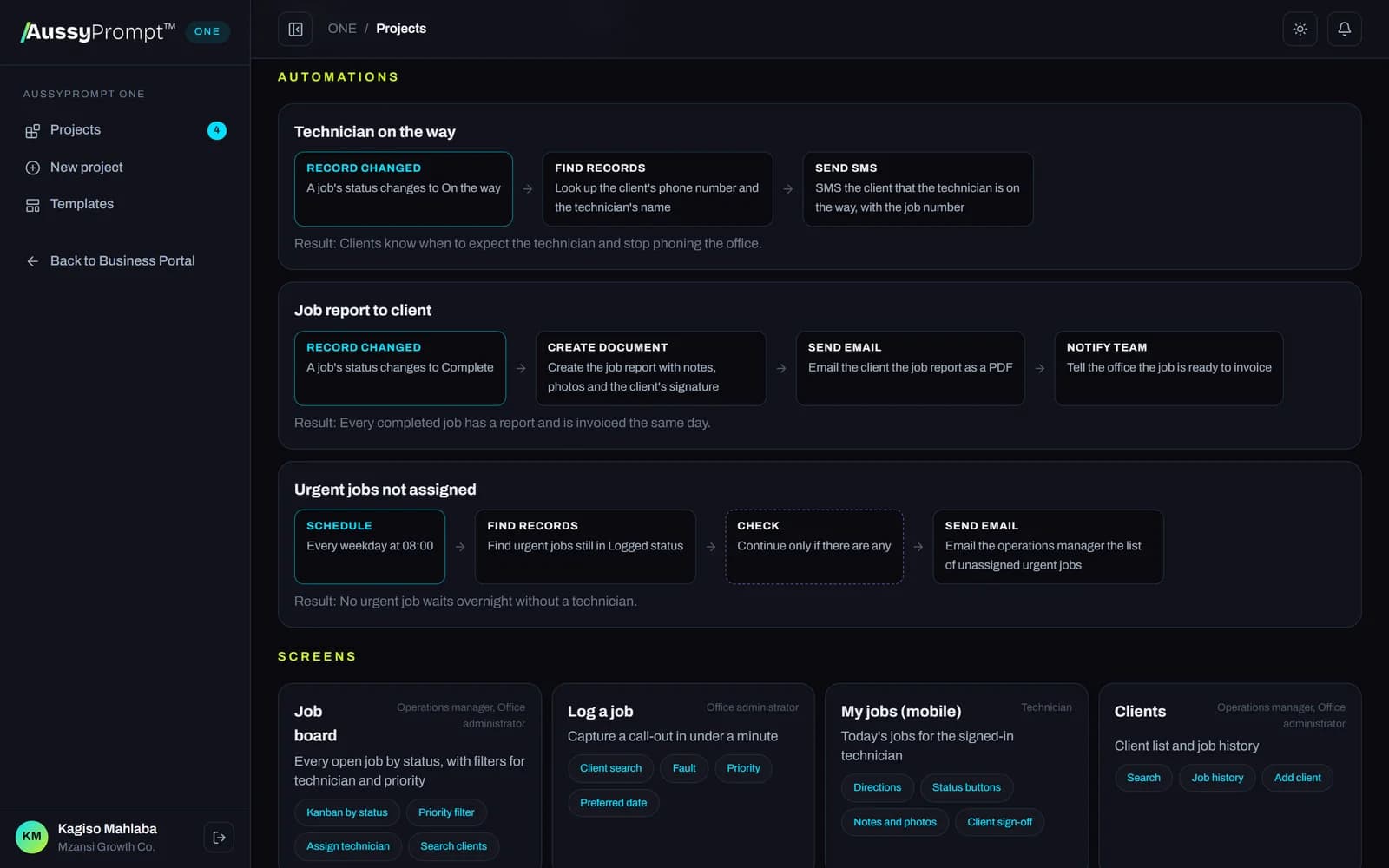
Built for the tools you already use
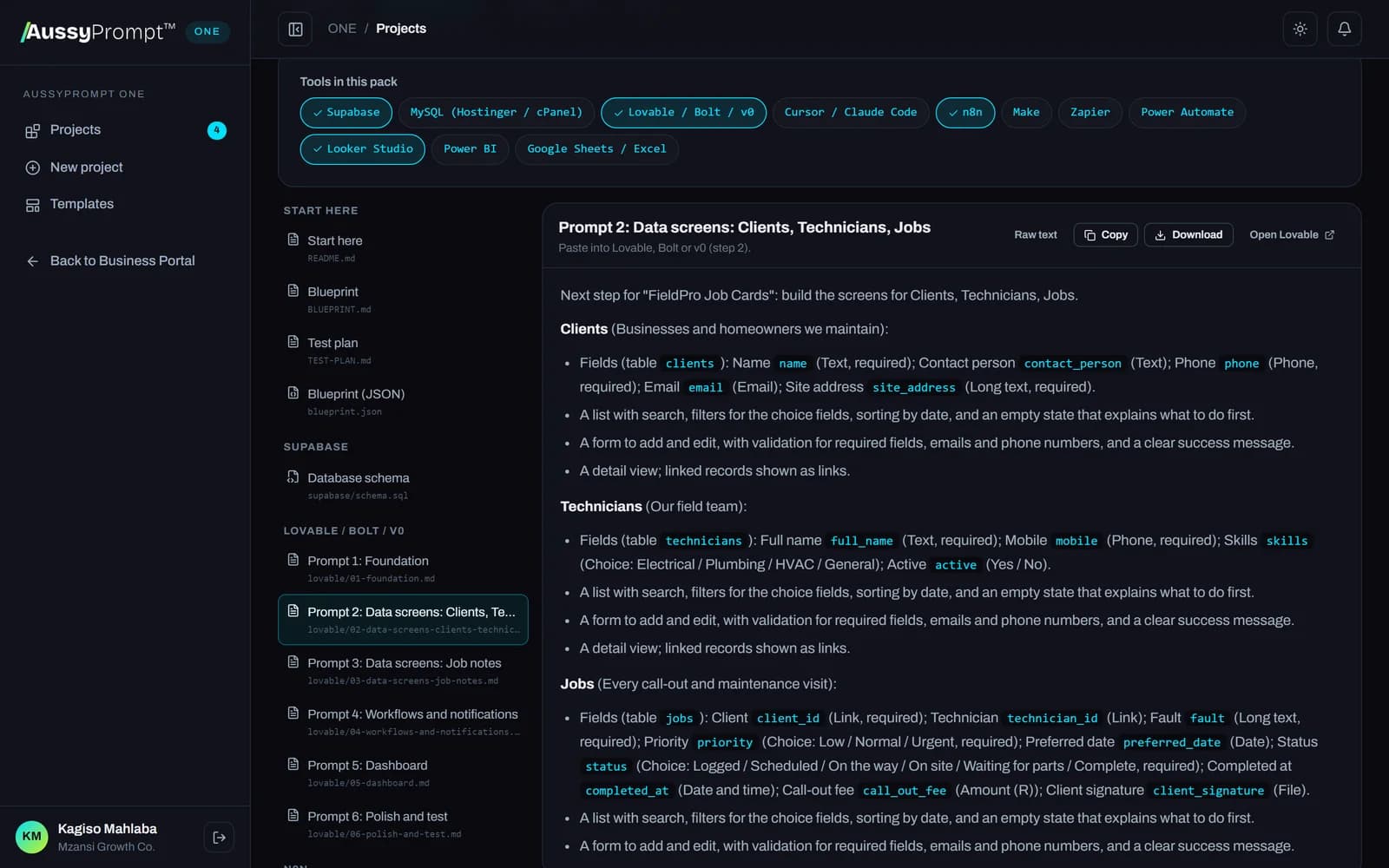
Pick your tools and the pack updates instantly. Copy a file, download it, or take the whole pack as a .zip.
Lovable / Bolt / v0
Phased build prompts to paste, one step at a time
Supabase
Database tables, row-level security and KPI views in one SQL file
MySQL (Hostinger / cPanel)
Tables, links, roles and KPI views for phpMyAdmin, plus Hostinger setup
n8n
Workflow files you import in one click
Make
Scenario build guides, module by module
Zapier
Zap build guides, step by step
Power Automate
Flow guides for Outlook, Teams and Excel
Cursor / Claude Code
A full project spec and task list with acceptance criteria
Google Sheets / Excel
One CSV per table, drop-downs and a formula for every KPI
Looker Studio
Dashboard guide: data source, charts and filters
Power BI
DAX measures and a report layout
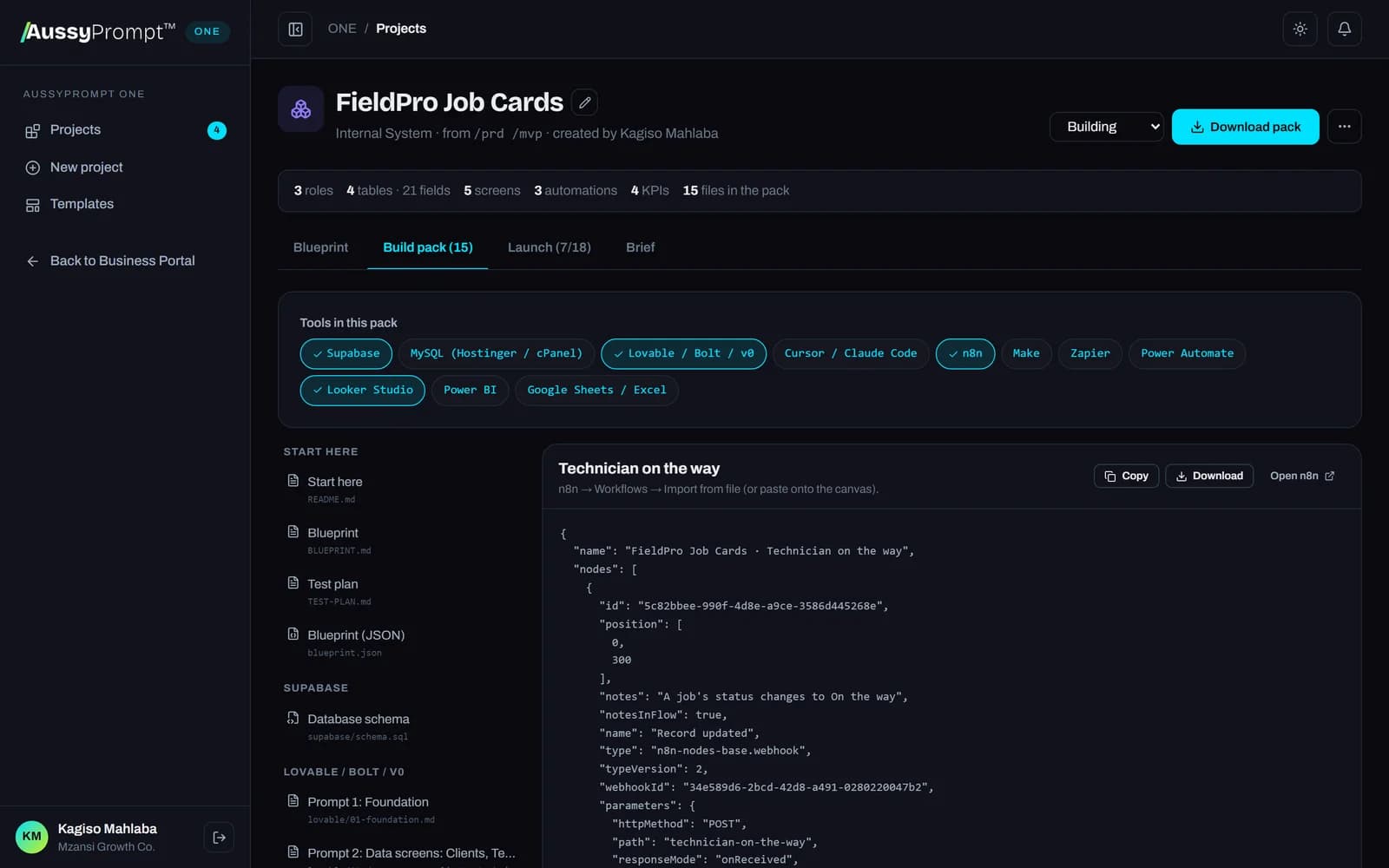
Prompts that build the right thing
AI app builders work best one step at a time. ONE writes the prompts in order (foundation, data screens, workflows, dashboard, polish) using your exact table and column names, so the app matches the database.
- South African formats for rand, dates and phone numbers
- Business rules and role permissions in every step
- A test plan written from your own roles, rules and automations
Launch it together
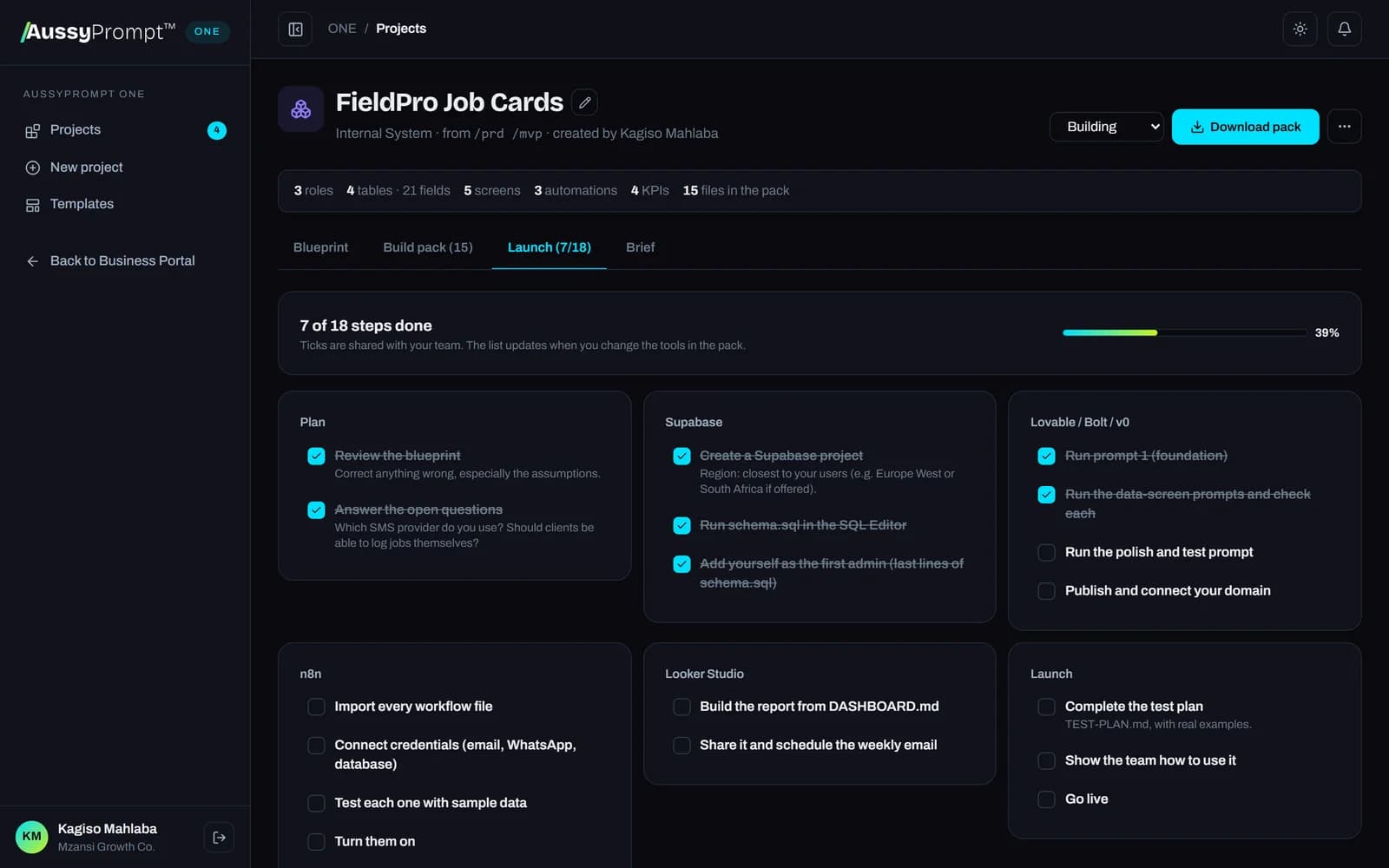
Each project has a launch checklist for the tools you chose, shared with your team. Tick off each step, test with real examples, add the live link and mark it live.
- Projects shared with everyone in your business
- Blueprint, Pack ready, Building and Live at a glance
- Start from templates built for South African SMEs
You own it
Everything runs in your own accounts. Open, standard files: SQL, JSON, CSV and Markdown. No lock-in.
No passwords in files
Credentials stay in each tool's secure store. ONE never asks for them and never writes them into a pack.
Secure and POPIA-aware
Row-level security on every table, role-based access, and a note on the personal information you store.
ONE grows with your team
Professional
For small businesses starting their first systems.
Business
For growing teams automating across departments.
Enterprise
For organisations running AI systems at scale.
AussyPrompt ONE FAQ
Does AussyPrompt ONE build and host the system for me?
ONE designs the system and writes everything the tools need: the database, workflow files, build prompts and guides. You build and run it in your own accounts with tools you choose, such as Lovable, Supabase, n8n or Zapier, so you own it and never depend on us to keep it running.
Which plans include ONE?
The business plans: Professional includes 3 projects, Business 15 and Enterprise unlimited. Projects are shared with everyone on your team.
Do I need to be technical?
No. ONE writes the blueprint in plain language and every file comes with step-by-step instructions and a launch checklist. Level 5 (AI-Assisted App Building) and Level 6 (AI Agents & Automation) in the Academy teach exactly these tools if you want to go further.
What do I start from?
Any Command Playground result: /prd, /automation, /database and /aiagent work best. You can also start from one of the templates, such as job cards, bookings, invoice reminders or a sales dashboard, or simply describe what you need.
Can I change the blueprint?
Yes. Tell ONE what to change in your own words, edit it directly, or restore an earlier version. The build pack updates instantly, and you can switch tools at any time.
What about our data and passwords?
ONE never asks for your passwords or API keys and never puts them in the files. Credentials stay in each tool's own secure store. Every pack includes row-level security and a POPIA note on the personal information the system stores.
Build your first system this week
Create a Business Portal, choose a business plan and turn your first Playground result into a working automation, app or dashboard.